Run Free Audit
Book a Strategy Call
01143888832
sales@dev.eg
Facebook Instagram Linkedin Twitter Youtube Whatsapp
The Egyptian Developers Logo TranspThe Egyptian Developers Logo Transp
  • Homepage
  • Automation & ERP – Odoo
    • Odoo – Construction
    • Odoo – Distribution
    • Odoo – Education
    • Odoo – Manufacturing
    • Odoo – Nonprofit
    • Odoo – Professional Services
    • Odoo – Real Estate
    • Odoo – Retail
    • Odoo Customization
    • Odoo Implementation
    • Odoo Integration
    • Odoo Migration
  • Services Hub
    • Free SEO Audit
    • B2B SEO
    • E-Commerce
    • E-Commerce SEO
    • Enterprise SEO
    • International SEO
    • Keyword Research
    • Local SEO
    • SEO & Generative Growth
    • SEO Analysis
    • SEO Services Agency
    • Technical SEO
    • Travel SEO
  • Marketing
    • Email Marketing
    • Case Studies
    • Inbound Marketing
    • Social Media Marketing
    • Paid Social & PPC
    • Video Production
  • Web & Platform Engineering
    • Insights
    • QR Code Generator
    • Tools & Platforms
    • URL Shortener
    • Web Hosting
    • Website Migration
    • WordPress Development
    • WordPress Support
  • Careers
  • About
  • Contact
  • العربية
Search
What are you looking for?
Search History:
Menu
The Egyptian Developers Logo Transp
  • Homepage
  • Automation & ERP – Odoo
    • Odoo – Construction
    • Odoo – Distribution
    • Odoo – Education
    • Odoo – Manufacturing
    • Odoo – Nonprofit
    • Odoo – Professional Services
    • Odoo – Real Estate
    • Odoo – Retail
    • Odoo Customization
    • Odoo Implementation
    • Odoo Integration
    • Odoo Migration
  • Services Hub
    • Free SEO Audit
    • B2B SEO
    • E-Commerce
    • E-Commerce SEO
    • Enterprise SEO
    • International SEO
    • Keyword Research
    • Local SEO
    • SEO & Generative Growth
    • SEO Analysis
    • SEO Services Agency
    • Technical SEO
    • Travel SEO
  • Marketing
    • Email Marketing
    • Case Studies
    • Inbound Marketing
    • Social Media Marketing
    • Paid Social & PPC
    • Video Production
  • Web & Platform Engineering
    • Insights
    • QR Code Generator
    • Tools & Platforms
    • URL Shortener
    • Web Hosting
    • Website Migration
    • WordPress Development
    • WordPress Support
  • Careers
  • About
  • Contact
  • العربية
Facebook Instagram Linkedin Twitter Youtube Whatsapp
The Egyptian Developers Logo TranspThe Egyptian Developers Logo Transp
Search
What are you looking for?
Search History:
Odoo version upgrade path from 18 to 20

Moving to a new Odoo version: timeline, risks and checklist

November 23, 2026 /Posted byThe Egyptian Developers / 5

Short answer: a standard Odoo database with few customisations can usually be moved to a new version in two to four weeks. Add custom modules, third-party apps and integrations and it is more often one to three months. The risk is rarely Odoo’s own data upgrade; it is your custom code, your add-ons and the processes nobody tested.

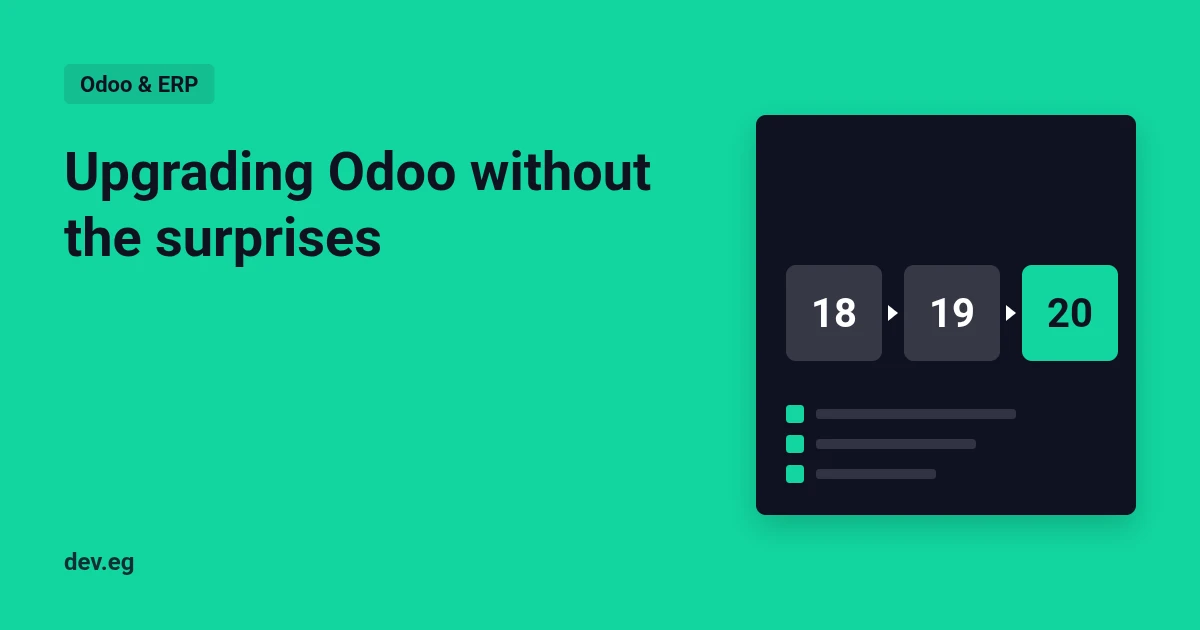
Odoo releases a major version every year, and Odoo 20 arrived in autumn 2026. Odoo supports the three most recent major versions, so a database that is two or three versions behind is either already out of support or close to it. Here is how to plan the move.

How an Odoo upgrade actually works

  1. Odoo upgrades the standard part. If you are on Odoo Enterprise, you request an upgraded copy of your database from Odoo’s upgrade service. Odoo converts the data and standard modules, and it can jump several versions in one request.
  2. You (or your partner) upgrade everything else. Custom modules and third-party apps are not covered. Each one has to be rewritten or replaced for the new version.
  3. You test on a copy. The first upgraded database is a test. You run your real processes on it, fix what breaks and request a fresh test copy if needed.
  4. You upgrade production. Usually over a weekend, with a frozen period before it and a check list after it.

Odoo Community has no official upgrade service. Community databases are usually moved with the open-source OpenUpgrade project or by a partner, which takes longer.

Typical timelines

Your setupTypical duration
Standard apps, no custom code, one company2 to 4 weeks
A handful of custom modules or apps from the Odoo Apps store, one or two integrations1 to 3 months
Heavy customisation, several companies, e-invoicing connectors, several versions behind3 to 6 months

The checklist

1. Before you request anything

  • List every installed module and mark it as standard, custom or third-party.
  • For each third-party app, check that the vendor has a version for your target release. If not, find a replacement now.
  • Remove modules you no longer use. Every module you drop is one less thing to test.
  • Archive old products, customers and users you do not need.
  • Write down the ten to fifteen processes that must work on day one: quote to invoice, purchase to payment, stock receipt, payroll, month-end close, and so on.

2. During testing

  • Run each process end to end on the test database with real users, not only the project team.
  • Compare key reports with the old system: trial balance, stock valuation, aged receivables.
  • Print every customer-facing document: invoices, delivery notes, quotations. Layouts often break, especially in Arabic.
  • Test every integration: payment gateways, couriers, your online store, the bank.
  • In Egypt and Saudi Arabia, send test invoices to the ETA or ZATCA sandbox and check signatures and certificates still work.
  • Check access rights. New versions sometimes change which group sees which menu.

3. The cut-over

  • Agree a freeze: no new configuration in the old system in the week before.
  • Pick a quiet period away from month-end and big sales days.
  • Take a full backup of the database and the file store.
  • Tell users what changes and where to report problems.

4. The first week after

  • Check document numbering and sequences.
  • Check that scheduled actions (reminders, recurring invoices, stock rules) are running.
  • Watch the first e-invoices and payments closely.
  • Keep the old database available in read-only mode for reference.

The risks that cause most delays

  • Third-party apps with no new version. Find out in week one, not in the last week.
  • Customisations that copy standard code. When Odoo changes the original, the copy breaks. This is the most common reason upgrades take longer than planned.
  • Custom reports and printed layouts. They look fine in testing until someone prints an Arabic invoice with a long product name.
  • Skipping user testing. The project team knows the happy path; warehouse and accounts staff know the exceptions.

Should you upgrade every year?

Not necessarily. Many companies upgrade every two or three versions, which keeps them within support while limiting disruption. The worst position is staying on an unsupported version for years, because every skipped version adds work to the eventual move.

If you want an estimate for your database, book a free call or read about our Odoo upgrade and migration service. If you are budgeting a new system rather than an upgrade, see what an Odoo implementation costs.

Frequently asked questions

Can we skip versions, for example from Odoo 16 to Odoo 19?

Yes. Odoo’s upgrade service can move a database across several versions in one request. Custom code still has to be rewritten for the target version.

Does Odoo upgrade our custom modules?

No. Odoo’s standard upgrade covers data and standard modules. Custom and third-party modules are your responsibility or your partner’s.

Will we lose data?

Not if the upgrade is tested properly. That is why the first upgraded database is always a test copy.

How long is the downtime?

For most databases the production upgrade itself takes hours, not days. Plan it for a weekend or a quiet day.

Is upgrading Odoo Community different?

Yes. There is no official upgrade service for Community, so migration is done with OpenUpgrade or custom scripts and usually takes longer.

Checked on 24 November 2026.

About the authors. This guide was written by the consultants at The Egyptian Developers (TEDs), an Odoo Gold Partner, Google Premier Partner and Bing Elite agency working with companies in Egypt, the Gulf, Libya and the UK since 2000.

Book a free callMessage us on WhatsApp


Share Post
  • Twitter
  • Facebook
  • Pinterest
  • Mail to friend
  • Linkedin
  • Whatsapp
  • PDF
Odoo vs SAP Business One: whic...
Odoo and SAP Business One compared side by side
An AI answer citing a business website as its source
GEO and AEO explained: how to ...

Related posts

Odoo and SAP Business One compared side by side
Read more: Odoo vs SAP Business One: which ERP fits a growing company?

Odoo vs SAP Business One: which ERP fits a growing company?

An honest comparison of Odoo and SAP Business One for growing companies in Egypt and the Gulf: licence costs for 20 users, what each covers,... Continue reading
Odoo implementation cost breakdown
Read more: How much does Odoo implementation cost in Egypt and the Gulf?

How much does Odoo implementation cost in Egypt and the Gulf?

What an Odoo project really costs in 2026: licence prices, what drives setup cost, typical project sizes, and the e-invoicing work Egypt, Saudi Arabia and... Continue reading

Comments are closed

The Egyptian Developers Logo Transp

Enterprise digital agency since 2000 – web, SEO, e-commerce, and Odoo automation.

El Batrawy St, Abbas El Akkad,
Nasr City, Cairo, Egypt
Gulf Breeze, Florida, USA

sales@dev.eg
WhatsApp +20 114 388 8832

Services

  • Web Development
  • SEO Services
  • E-Commerce
  • Odoo Partner
  • All Services

Tools & Platforms

  • Free SEO Audit
  • QR & Marketing Tools
  • Hosting & Domains
  • All Tools

Company

  • About
  • Case Studies
  • Insights
  • Careers
  • Contact

Google Premier Partner  ·  Bing Elite Agency  ·  Odoo Gold Partner

© 2000–2026 The Egyptian Developers. All rights reserved.

Privacy Policy  ·  Terms  ·  Cookie Policy

Home
Services
Get a Quote
WhatsApp
Call
Manage Consent
To provide the best experiences, we use technologies like cookies to store and/or access device information. Consenting to these technologies will allow us to process data such as browsing behavior or unique IDs on this site. Not consenting or withdrawing consent, may adversely affect certain features and functions.
Functional Always active
The technical storage or access is strictly necessary for the legitimate purpose of enabling the use of a specific service explicitly requested by the subscriber or user, or for the sole purpose of carrying out the transmission of a communication over an electronic communications network.
Preferences
The technical storage or access is necessary for the legitimate purpose of storing preferences that are not requested by the subscriber or user.
Statistics
The technical storage or access that is used exclusively for statistical purposes. The technical storage or access that is used exclusively for anonymous statistical purposes. Without a subpoena, voluntary compliance on the part of your Internet Service Provider, or additional records from a third party, information stored or retrieved for this purpose alone cannot usually be used to identify you.
Marketing
The technical storage or access is required to create user profiles to send advertising, or to track the user on a website or across several websites for similar marketing purposes.
  • Manage options
  • Manage services
  • Manage {vendor_count} vendors
  • Read more about these purposes
View preferences
  • {title}
  • {title}
  • {title}