
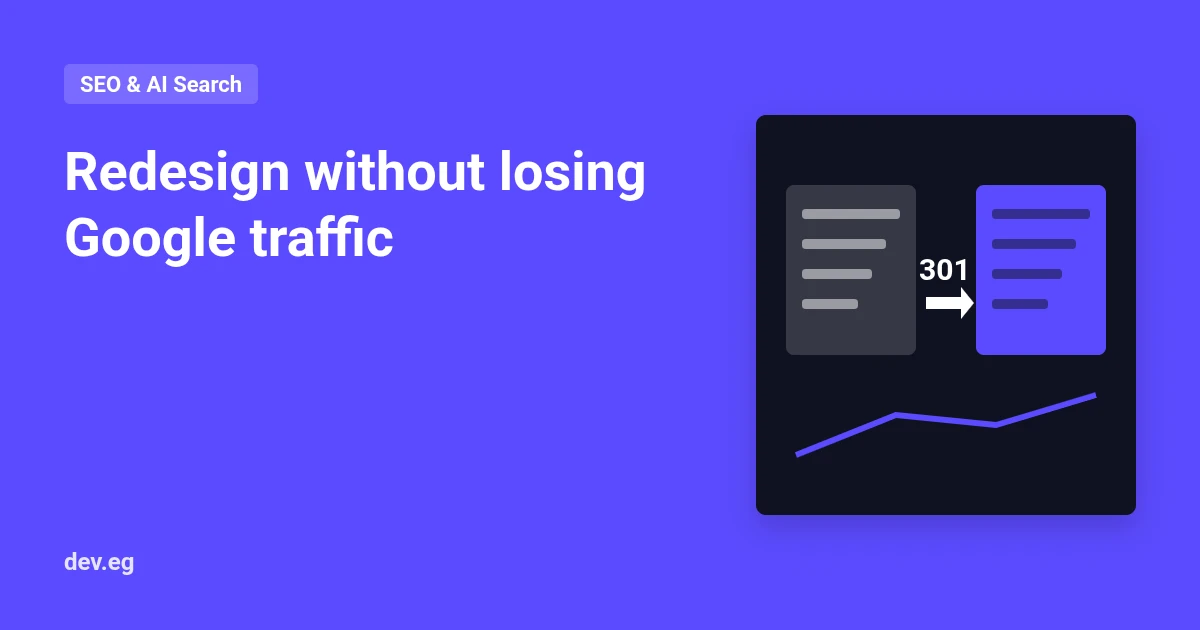
Short answer: a redesign keeps its Google traffic when every page that ranks today either keeps its URL or is redirected with a 301 to the closest new page, keeps its useful content, and is crawlable on launch day. Most traffic drops after a redesign come from a few avoidable mistakes: missing redirects, a “noindex” left over from the test site, and ranking content removed because it did not fit the new design.
A short dip for a few weeks is normal while Google re-crawls the site. A drop that lasts months is not, and it almost always traces back to the launch.
Before you design anything
- List the pages that matter. Export the pages with clicks from Google Search Console for the last 12 months, and the top landing pages from Google Analytics. These are the pages you cannot afford to lose.
- Crawl the current site with a crawler such as Screaming Frog to get every URL, title, heading and status code.
- Record a baseline: clicks, impressions and positions for your main keywords, and enquiries from organic search.
- Decide on URLs early. If old URLs can stay the same, keep them. Changing URLs is the single biggest source of risk.
Build the redirect map
For every old URL that will change, list the new URL it should go to. Rules that save you later:
- Use permanent 301 redirects, one hop from old to new. Avoid chains of several redirects.
- Send each page to its closest match, not everything to the homepage. Google treats mass redirects to the homepage much like missing pages.
- Include images, PDFs and old campaign URLs that still receive links.
- Keep redirects in place for at least a year; Google recommends it, and in practice it is safer to keep them indefinitely.
During the build
- Keep the staging site behind a password and set to noindex, so it never competes with the live site.
- Carry over the content that earns rankings. A shorter, prettier page often ranks worse than the long one it replaced.
- Keep titles, main headings and meta descriptions of the top pages unless you have a reason to change them.
- Check page speed and mobile layout on real devices before launch, not after.
- For Arabic and English sites, keep the language structure (for example /ar/) and the hreflang links between versions.
Launch day checklist
- Redirects are live; test the top 100 old URLs and confirm each returns one 301 to the right page.
- The noindex setting from staging is removed and robots.txt does not block the site.
- Canonical tags point to the new live URLs, not to staging.
- The XML sitemap lists the new URLs and is submitted in Google Search Console and Bing Webmaster Tools.
- Analytics, Tag Manager and conversion tracking work on the new pages.
- Structured data (organisation, products, articles) is still present and valid.
- If the domain changes, the Change of Address tool in Search Console is used once redirects are in place.
The first eight weeks after launch
- Check Search Console every few days for new 404 errors and pages that stop being indexed, and fix them quickly.
- Compare clicks for the top pages with the baseline every week.
- Look for pages that lost rankings and check whether their content or internal links changed.
- Keep the old sitemap available for a few weeks so Google finds and follows the redirects sooner.
The mistakes we see most often
- The test site’s noindex going live with the new site.
- Old URLs returning 404 because nobody built the redirect map.
- Blog posts, FAQs or product details removed to make the design cleaner.
- Internal links still pointing at old URLs, sending visitors and crawlers through redirects.
- A new platform that renders content with JavaScript only, so crawlers see much less text.
What if traffic has already dropped?
Start with the pages that lost the most clicks. Check that each old URL redirects to the right place, that the new page is indexed, and that the content that ranked is still there. Most recoveries come from fixing those three things; results usually return within weeks to a few months once Google re-crawls the pages.
If you are planning a redesign or a platform change, book a free call or see our website migration SEO service. For realistic expectations after launch, read how long SEO takes.
Frequently asked questions
Will a redesign always cause a traffic drop?
No. A short dip while Google re-crawls is common, but a well-planned redesign often ends with more traffic than before.
How long should redirects stay?
At least a year, and ideally permanently. They cost almost nothing to keep.
Should we change our URLs to make them cleaner?
Only when there is a real benefit. Every changed URL needs a redirect and adds risk.
Can we move from WordPress to another platform safely?
Yes, with the same process: URL inventory, redirect map, content parity and testing before launch.
How quickly does Google process a site move?
Small sites often settle within a few weeks; large sites can take several months.
Checked on 24 November 2026. Source: Google Search Central documentation on site moves and redirects.
About the authors. This guide was written by the consultants at The Egyptian Developers (TEDs), an Odoo Gold Partner, Google Premier Partner and Bing Elite agency working with companies in Egypt, the Gulf, Libya and the UK since 2000.
Book a free callMessage us on WhatsApp